Photo to Video AI Pricing
See how Photo to Video AI brings portraits, products, old photos, and artwork to life
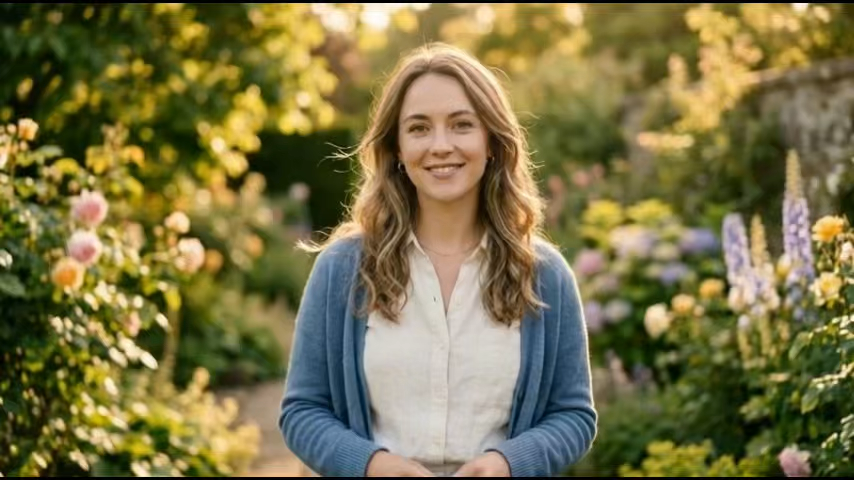
Animate a Portrait Photo
Add natural expressions and a gentle camera move.

Turn a Product Photo into a Video
Showcase products with smooth motion, lighting, and close-ups.
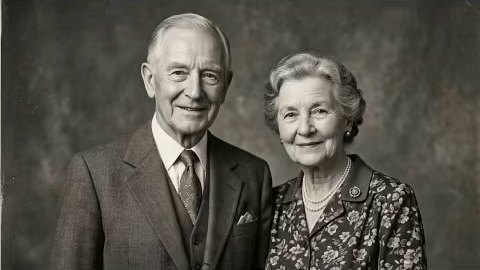
Bring an Old Photo to Life
Revive treasured memories with gentle, natural motion.

Create Motion from Art or Scenery
Add wind, water, depth, and camera motion to art and scenery.
Choose Your Plan
Start with our flexible pricing options designed to scale with your business needs.
Basic
Turn still images into high-quality AI videos.
- 500 credits every month
- Billed annually with 12 monthly credit allocations
- Create AI videos from photos
- Seedance and Kling video models
- Up to 1080p video generation
- 5-second and 10-second durations
- Download generated videos
- Commercial use
Pro
Turn still images into high-quality AI videos.
- 1000 credits every month
- Billed annually with 12 monthly credit allocations
- Create AI videos from photos
- Seedance and Kling video models
- Up to 1080p video generation
- 5-second and 10-second durations
- Download generated videos
- Commercial use
Ultimate
Turn still images into high-quality AI videos.
- 4300 credits every month
- Billed annually with 12 monthly credit allocations
- Create AI videos from photos
- Seedance and Kling video models
- Up to 1080p video generation
- 5-second and 10-second durations
- Download generated videos
- Commercial use
Photo to Video AI Credit Pricing
Credits are calculated from the selected AI model, video duration, resolution, and optional audio. The estimated cost is shown before generation.
| AI Model | Resolution | Standard Rate | 5-Second Cost | 10-Second Cost | With Audio |
|---|---|---|---|---|---|
| Seedance 1 Pro Fast | 480p · 720p · 1080p | 480p: 2 credits/s 720p: 4 credits/s 1080p: 8 credits/s | 480p: 10 credits 720p: 20 credits 1080p: 40 credits | 480p: 20 credits 720p: 40 credits 1080p: 80 credits | Not supported |
| Seedance 1 Pro | 480p · 720p · 1080p | 480p: 4 credits/s 720p: 8 credits/s 1080p: 19 credits/s | 480p: 20 credits 720p: 40 credits 1080p: 95 credits | 480p: 40 credits 720p: 80 credits 1080p: 190 credits | Not supported |
| Seedance 1.5 Pro | 480p · 720p · 1080p | 480p: 2 credits/s 720p: 4 credits/s 1080p: 8 credits/s | 480p: 10 credits 720p: 20 credits 1080p: 40 credits | 480p: 20 credits 720p: 40 credits 1080p: 80 credits | 480p: 4 credits/s 720p: 7 credits/s 1080p: 15 credits/s |
| Seedance 2.0 Fast | 480p · 720p | 480p: 9 credits/s 720p: 20 credits/s | 480p: 45 credits 720p: 100 credits | 480p: 90 credits 720p: 200 credits | Included at the standard rate |
| Seedance 2.0 | 480p · 720p | 480p: 10 credits/s 720p: 23 credits/s | 480p: 50 credits 720p: 115 credits | 480p: 100 credits 720p: 230 credits | Included at the standard rate |
| MiniMax H3 | 480p · 720p | 480p: 10 credits/s 720p: 23 credits/s | 480p: 50 credits 720p: 115 credits | 480p: 100 credits 720p: 230 credits | Included at the standard rate |
| Kling 2.6 Pro | 1080p | 1080p: 9 credits/s | 1080p: 45 credits | 1080p: 90 credits | 1080p: 18 credits/s |
Basic: 500 credits · Pro: 1000 credits · Ultimate: 4300 credits.
The audio column shows the total rate when audio is enabled, not an additional surcharge. Your exact cost is always shown before generation.
Photo to Video Pricing FAQ
Common questions about AI video generation, credits, plans, and billing
Photo to Video AI uses credits. Each generation deducts credits based on the AI model, video duration, output resolution, and whether audio is enabled. You can see the current rates in the credit pricing table above.
Credit cost equals the selected model's rate for your resolution and audio setting multiplied by the video duration. Supported videos are currently 5 or 10 seconds, and available resolutions depend on the selected model.
Yes. Visitors can create one free video per day using Seedance 1.5 Pro at 480p for 5 seconds without audio. Sign in and purchase credits when you need more generations or advanced settings.
A one-time credit purchase or an active subscription unlocks paid models and settings. You still need enough credits in your balance to generate the selected video. Model capabilities vary, so some models may not support every resolution or audio.
One-time credits are purchased once and remain in your account until used. Subscription plans provide a recurring credit allocation while the subscription is active. Both credit types can be used for eligible Photo to Video AI generations.
One-time credits do not expire. Subscription credits refresh according to your plan's allocation schedule, and unused subscription credits may reset when the next allocation is issued.
Yes. The interface calculates and displays the required credits after you select the model, resolution, duration, and audio option, so you can review the cost before starting.
Yes. You can purchase a one-time credit package whenever your balance is low. The additional credits are added to your account and can be used alongside subscription credits.
You may use generated videos for commercial projects when you own or have permission to use the source image and your use follows our Terms of Service, applicable laws, and any relevant AI model restrictions.
Email [email protected] with your account email and order details. Do not include passwords, payment card numbers, or other sensitive information.